Getting live
Live in days. Tied out to the paisa. Supported from inside the app.
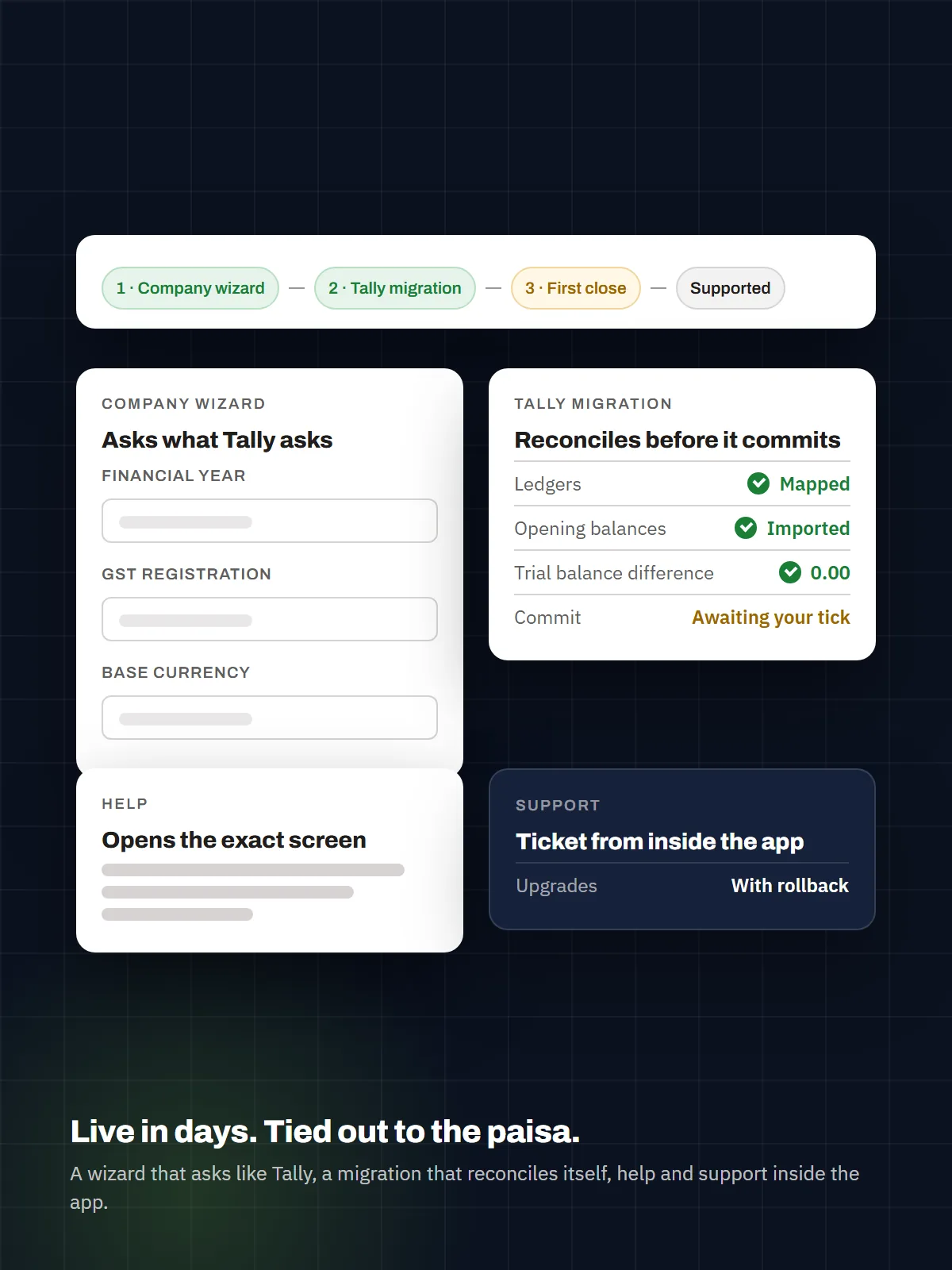
Ganav’s onboarding is a guided flow, not a project plan: a company wizard that asks the questions Tally asks, a Tally migration that reconciles itself before it commits, help articles that open the exact screen they describe, and a support desk you raise a ticket to without leaving your books.
Step 1 — Set up the company (minutes, not a form marathon)
The company wizard asks like an Indian accountant would and fills in what it already knows:
- Statutory step, India-mandatory. Legal name, PAN, GST registration status (registered / unregistered / composition), GSTIN with a shape guard, TAN for TDS — captured at creation, so the tax engine, TDS suite and e-invoice reading are correct from the first voucher. Status-aware honesty: an unregistered company gets advisory GST treatment and a warning on a blank GSTIN, never a silent wrong posting.
- Financial year and books-beginning dates, the way Tally asks. “Financial year begins on” and “Books beginning from” are separate questions; editing the fiscal year later cascades to the periods and the compliance calendar instead of leaving them stale.
- Base currency pre-selected from the country. INR for India, AED for the UAE — changeable, never guessed silently.
- Business type → module set. Pick a business type and the right modules switch on; the Modules step lets you add or remove any of them, and the AI Document Inbox is on by default.
- Sensible defaults provisioned automaticallyvoucher types, number series with the fiscal-year token, a 12-period year, tax scheme and codes, TDS sections, RCM categories, fixed-asset categories — so the first screen you land on already works.
Step 2 — Bring the books in (Tally, or opening balances)
From Tally, with the agent. Download the Tally agent from your own support portal, pair it with a code from the Tally Connections screen, and let it discover every Tally company on the machine. Masters pull, classify and preview; the cutover imports net opening balances per ledger and produces a reconciliation sheet — Tally’s figure beside Ganav’s, every difference named — before anything posts. If a mapping was wrong, re-resolve the staged cutover without another round-trip to Tally. Pulls can run unattended on the client’s machine, or once, without installing anything.
From anywhere else. Load opening balances from Excel (with reverse/discard and status tracking), import the chart of accounts, and start posting. Opening-balance grids go full-screen and export to Excel/PDF for the CA’s sign-off.
Step 3 — Learn the app from inside the app
- Help Centre in-producta
/helppage and a contextual help entry in the header, backed by a knowledge base the Ganav team publishes to (draft → review → publish, synced into your instance). - “How Ganav works”26 workflow articles with diagrams: how a bill becomes a journal, how approvals route, how the Tally cutover reconciles, how period close snapshots balances, and more.
- “Open this screen”a help article can jump you straight to the screen it describes.
- The app drives the next stepevery operational screen shows what to do next for its current state; work boards surface what needs attention across companies; a quick-access toolbar carries your pinned screens on every page.
Step 4 — Get support without leaving your books
- Raise a ticket from inside Ganavrich text, screenshots and file attachments (PDF, Office, CSV) in both directions, threaded replies, an Active/Closed view of your tickets.
- Errors report themselves. A server-side error is captured with its correlation ID and reported to the Ganav support desk automatically — including failures in background jobs — so the first message you get is often “we’ve seen it, here’s the fix”, not “please describe what happened”.
- Replies reach you by email from the support mailbox, and your reply comes straight back into the ticket.
- Support tiersemail on Standard, priority on Professional, a named contact and SLA on Dedicated VM (see Pricing).
Updates you never have to fear
Ganav is updated per tenant, on a weekly signed batch, with an installer that refuses to break you:
- Pre-swap validationthe new build must start cleanly in a check mode before it replaces the running one; a build that cannot boot is never swapped in.
- Snapshot and one-command rollbackthe previous binaries are kept beside the new ones; rolling back is a single verb.
- Configuration doctorafter every install or upgrade, a SETTING | EXPECTED | ACTUAL | FIX report proves the instance is configured as the release expects, and the admin’s Runtime Posture screen shows every operational switch in one place.
- Which build am I on?the account menu shows the exact release your instance is running.
- Version-drift guardan older package can never overwrite a newer install.
What a pilot looks like (30 days)
| Week | What we do together |
|---|---|
| 1 | Company wizard · Tally agent paired · masters pulled and reviewed · cutover reconciled and signed |
| 2 | Team onboarded · roles built from capabilities · approval policies set on the coverage board · first bills through the AI Inbox |
| 3 | Live posting · bank statements reconciled · GST/TDS reviewed against the first month · voucher prints branded |
| 4 | Month-end close on Ganav · reports compared with Tally’s own · go/no-go with your CA |